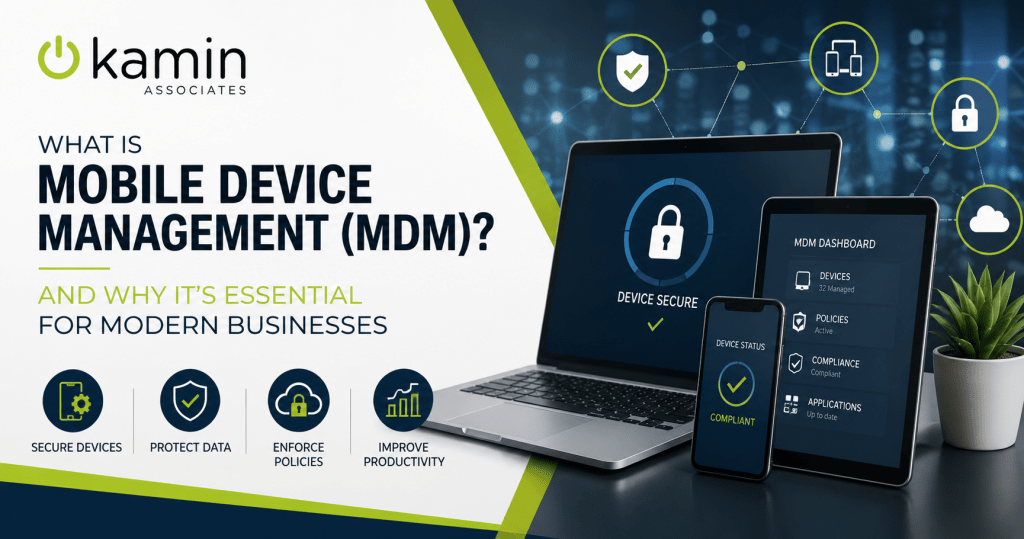
As smartphones, tablets, and laptops become increasingly important to daily business operations, managing and securing these devices has never been more critical. Employees rely on mobile technology to access email, collaborate with coworkers, work remotely, communicate with customers, and access sensitive business data from virtually anywhere.
While this flexibility improves productivity, it also creates new security challenges. Lost devices, unsecured networks, outdated software, and unauthorized applications can all expose your organization to cyber threats and compliance risks.
That’s where Mobile Device Management (MDM) comes in.
MDM helps businesses securely manage every company-owned or authorized mobile device from a centralized platform. Whether your employees work in the office, remotely, or in the field, an MDM solution gives your IT team greater visibility, control, and protection over your mobile environment.
What Is Mobile Device Management?
Mobile Device Management (MDM) is a technology solution that allows businesses to monitor, configure, secure, and manage smartphones, tablets, laptops, and other mobile devices from a centralized dashboard.
Rather than manually configuring each device or relying on employees to maintain security settings themselves, IT administrators can enforce company-wide policies across every enrolled device.
An MDM platform can help organizations:
- Enforce security policies
- Configure new devices remotely
- Install approved applications
- Push operating system updates
- Track device inventory
- Remove business data from lost or stolen devices
- Monitor device compliance
The result is a more secure, standardized, and manageable mobile workforce.
Why Mobile Device Security Matters More Than Ever
Today’s workforce is more mobile than ever before. Employees routinely access company resources from home, airports, hotels, customer locations, and coffee shops.
Every connected device represents another potential entry point for cybercriminals.
Without proper management, businesses face risks such as:
- Lost or stolen devices exposing confidential information
- Employees using outdated operating systems with known vulnerabilities
- Unauthorized applications accessing company data
- Weak passwords or missing multifactor authentication
- Sensitive files stored on unsecured personal devices
- Inconsistent security settings across users
Even a single compromised device can provide attackers with access to your organization’s network, email accounts, cloud applications, and sensitive customer information.
How Mobile Device Management Protects Your Business
An MDM solution gives IT administrators the tools needed to secure devices before problems occur.
Centralized Device Management
Instead of managing each device individually, IT teams can monitor every enrolled device through a single management console.
This centralized approach makes it easier to:
- View device inventory
- Monitor security status
- Apply company policies
- Troubleshoot issues remotely
- Ensure consistent configurations
Managing dozens or hundreds of devices becomes far more efficient than handling each one separately.
Faster Device Deployment
Setting up new employee devices no longer requires lengthy manual configuration.
With MDM, IT teams can preconfigure devices before employees even turn them on.
New devices can automatically receive:
- Company email settings
- Wi-Fi configurations
- VPN access
- Security policies
- Required business applications
- Approved restrictions
Employees can begin working almost immediately while maintaining company security standards.
Improved Data Security
One of the biggest advantages of MDM is protecting sensitive company information.
Administrators can require:
- Strong passwords
- Multifactor authentication
- Device encryption
- Automatic screen locking
- Secure VPN connections
- Biometric authentication
If security policies aren’t met, access to company resources can be restricted until the device becomes compliant.
Remote Lock and Remote Wipe
Devices are occasionally lost, stolen, or misplaced.
Without MDM, that missing phone or tablet could become a major security incident.
MDM allows IT teams to remotely:
- Lock the device
- Reset passwords
- Locate company-owned devices (where supported)
- Remove corporate data
- Perform a complete factory reset when necessary
This helps reduce the risk of sensitive business information falling into the wrong hands.
Application Management
Not every application belongs on a work device.
MDM enables businesses to control which apps employees can install and use.
Organizations can:
- Automatically deploy approved business applications
- Remove outdated software
- Block risky or unauthorized apps
- Manage application updates
- Separate work applications from personal apps
This reduces security risks while ensuring employees have access to the tools they need.
Operating System Updates
Many cyberattacks target devices running outdated software.
Unfortunately, employees don’t always install updates promptly.
MDM allows IT administrators to:
- Monitor update status
- Push operating system updates
- Schedule maintenance windows
- Verify successful installation
Keeping devices current helps close known security vulnerabilities before attackers can exploit them.
Supporting Bring Your Own Device (BYOD)
Many businesses allow employees to use personal smartphones or tablets for work.
While BYOD offers convenience and can reduce hardware costs, it also creates additional security concerns.
MDM allows businesses to securely support BYOD without invading employee privacy.
Modern MDM solutions can separate business data from personal information, allowing IT teams to manage corporate applications and files without accessing personal photos, messages, or other private content.
If an employee leaves the company, corporate data can often be removed while leaving personal information intact.
Compliance and Regulatory Requirements
Organizations in healthcare, finance, legal services, manufacturing, and other regulated industries often have strict requirements for protecting sensitive information.
MDM helps businesses support compliance efforts by enforcing consistent security controls across mobile devices.
Depending on the organization’s needs, MDM can help with:
- Device encryption
- Access controls
- Password enforcement
- Audit reporting
- Secure data storage
- Controlled application access
While MDM alone does not guarantee compliance, it plays an important role in a broader cybersecurity and governance strategy.
Common Signs Your Business Needs MDM
Many organizations don’t realize they’ve outgrown manual device management until problems begin to appear.
You may benefit from Mobile Device Management if:
- Employees regularly work remotely.
- Staff access company email from personal devices.
- Devices are frequently added or replaced.
- Your business stores sensitive customer or financial information.
- You have difficulty keeping devices updated.
- Employees use multiple mobile devices.
- Your IT team spends excessive time configuring new hardware.
- You’re unsure how many mobile devices currently access your business network.
If any of these situations sound familiar, implementing an MDM solution can improve both security and efficiency.
Mobile Device Management Is Most Effective as Part of a Larger IT Strategy
MDM works best when it’s integrated with a comprehensive cybersecurity and managed IT strategy.
For example, combining MDM with services such as endpoint protection, multifactor authentication, email security, vulnerability management, regular patch management, user security awareness training, and ongoing IT support creates multiple layers of protection that reduce organizational risk.
Rather than treating mobile devices as separate from the rest of your technology environment, businesses should include them in their overall security planning.
Partner with Kamin Associates for Smarter Mobile Device Management
As mobile technology continues to evolve, businesses need a secure and efficient way to manage the growing number of devices connecting to their networks.
Mobile Device Management helps protect sensitive information, simplifies IT administration, supports remote work, and improves overall security across your organization.
At Kamin Associates, we help businesses implement and manage secure mobile device solutions that fit their unique operational needs. From device deployment and policy management to ongoing monitoring and support, our team can help you build a mobile environment that’s both productive and secure.
If your organization is ready to improve mobile security and simplify device management, contact Kamin Associates to learn how our managed IT services and Mobile Device Management solutions can help keep your business protected.