Employees come and go, change roles, move between departments, and take on new responsibilities. Every one of those changes affects your IT environment.
A new employee may need a laptop, email account, software licenses, network access, cloud applications, shared files, and permissions before they can do their job. When someone leaves, those same connections need to be reviewed, transferred, or removed.
Without a consistent process, small oversights can turn into security gaps, unnecessary expenses, and productivity problems.
An IT onboarding and offboarding checklist gives businesses a repeatable way to manage employee technology throughout the entire employment lifecycle. Here is what organizations should consider when building that process.
Why IT Onboarding and Offboarding Matter
Employee transitions involve more than creating or deleting an email account.
Modern businesses operate across numerous devices, applications, networks, cloud platforms, and communication tools. An employee may have access to Microsoft 365, internal file systems, cloud applications, company devices, shared accounts, VPN connections, and other resources.
The more technology a business uses, the easier it becomes for an account or device to be overlooked.
A structured onboarding and offboarding process helps businesses maintain visibility into who has access to their technology while ensuring employees have the tools they need to work effectively.
Working with an experienced IT support services provider can also help organizations establish repeatable processes for user support, IT asset management, service management, training, and documentation.
Before the Employee’s First Day
Good IT onboarding should begin before a new employee arrives.
Waiting until their first morning to determine which computer, applications, and permissions they need can leave the employee sitting idle while accounts are created and equipment is configured.
Instead, HR, management, and IT should communicate ahead of the employee’s start date.
Before the employee arrives, IT may need to:
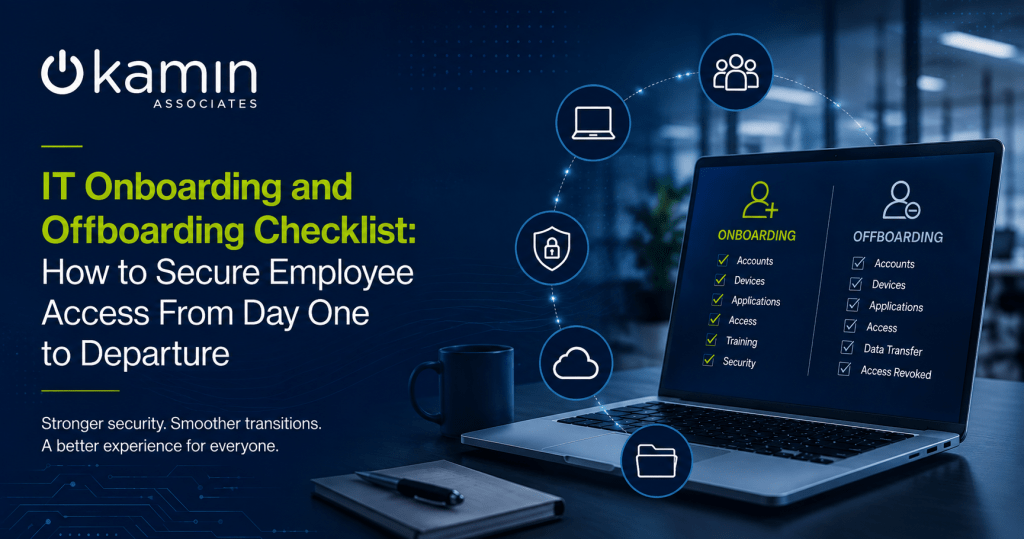
- Prepare and configure a workstation or laptop
- Create an email account
- Assign Microsoft 365 and other software licenses
- Install approved business applications
- Configure endpoint security
- Establish network access
- Set up multi-factor authentication
- Apply appropriate security policies
- Configure mobile devices when necessary
- Assign access based on the employee’s role
Standardizing these steps creates a more consistent experience while reducing the chances that an important security control will be missed.
Follow the Principle of Least Privilege
One of the most important parts of employee onboarding is determining what the person should actually be able to access.
Giving employees broad permissions because it is easier than determining individual requirements can create unnecessary risk.
Instead, organizations should follow the principle of least privilege. Employees should generally receive access to the systems, applications, files, and data required for their responsibilities without automatically receiving access to everything else.
For example, someone in marketing may need access to completely different resources than someone working in accounting.
Identity and access management should therefore be part of the onboarding process rather than an afterthought.
Kamin Associates includes identity and access management among its broader managed IT solutions, helping businesses incorporate access management into a larger technology and security strategy.
Secure Every Employee Device
Accounts are only one side of onboarding. The devices employees use also need attention.
Company laptops, desktops, smartphones, and tablets can all become entry points into business systems.
Before issuing a device, IT teams should verify that operating systems and applications are updated, appropriate security software is installed, encryption is enabled when required, and company security policies are applied.
Businesses should also maintain an accurate record of which equipment has been assigned to each employee.
Mobile Device Management can make this process easier for organizations with a growing number of laptops, smartphones, tablets, and remote users. Centralized management gives IT teams greater visibility and control over devices that may regularly operate outside the traditional office network.
Kamin’s IT infrastructure services include managed IT and endpoint protection capabilities designed to help businesses maintain and secure their technology environments.
Don’t Forget SaaS and Cloud Applications
One of the easiest areas to overlook during onboarding and offboarding is software-as-a-service applications.
Employees may use project management platforms, accounting tools, CRM systems, file-sharing services, communication platforms, industry-specific applications, and dozens of other cloud services.
If there is no centralized record of those applications, IT may not know every account an employee has.
Organizations should maintain an inventory of approved software and document which applications are assigned to each role. This makes onboarding easier and provides IT with a reference when someone leaves.
It can also help reduce unused software licenses and prevent former employees from retaining access to forgotten applications.
Build Security Into the Onboarding Process
New employees should understand their role in protecting company information.
Security awareness should therefore be part of onboarding alongside technical setup.
Employees should understand company expectations surrounding passwords, MFA, phishing, email security, acceptable technology use, data handling, remote work, and reporting suspicious activity.
Technology controls remain important, but employees also need to understand how and why those controls are used.
Kamin Associates’ IT security services address multiple layers of business security, including network security, endpoint security, data security, cloud security, and security awareness training.
Create an IT Offboarding Checklist
When an employee leaves, the process essentially runs in reverse, but timing becomes particularly important.
Accounts that remain active after a departure can create unnecessary exposure. Devices that are not recovered can contain company information. Files stored under an individual employee’s account may also become difficult for other employees to access.
An IT offboarding checklist should address areas such as:
- Disabling user accounts
- Revoking active sessions
- Removing remote access
- Recovering laptops, phones, and other equipment
- Removing access to cloud and SaaS applications
- Reviewing shared accounts and credentials
- Transferring business files
- Reassigning email or communication responsibilities when appropriate
- Recovering software licenses
- Updating IT asset records
- Preserving necessary business data
The exact checklist will vary based on the employee’s position and the organization’s technology environment.
Review Access When Employees Change Roles
Onboarding and offboarding should not be limited to employees entering or leaving the company.
Internal role changes can create the same access-management challenges.
An employee who moves from one department to another may receive new permissions without having old ones removed. Over several years, this can lead to “permission creep,” where employees gradually accumulate access that is no longer necessary for their current responsibilities.
Organizations should treat major role changes as an access review.
Determine what the employee needs in the new position, remove permissions that are no longer appropriate, and document the changes.
Periodic access reviews can also help identify unnecessary permissions before they become a security issue.
Maintain an Accurate IT Asset Inventory
Every onboarding and offboarding event changes your IT inventory.
When a laptop is issued, returned, reassigned, replaced, or retired, that change should be documented. The same applies to software licenses, mobile devices, and other technology resources.
Accurate IT asset management helps businesses understand what they own, where equipment is located, who is using it, and when technology may need to be replaced.
It can also make offboarding significantly easier because IT already knows which company assets are assigned to the departing employee.
Make Employee Transitions Repeatable
The goal of an IT onboarding and offboarding checklist is consistency.
Businesses should not have to reinvent the process every time someone joins, changes positions, or leaves.
Document which actions need to occur, who is responsible for completing them, when they should happen, and how completion will be verified. Then periodically review the process as your applications, security requirements, and technology environment change.
A repeatable process can improve the employee experience while strengthening security, reducing forgotten accounts, improving asset visibility, and making life easier for both management and IT.
Strengthen Your IT Processes With Kamin Associates
As businesses grow, managing users, devices, applications, permissions, security, and support becomes increasingly complex.
Kamin Associates provides managed IT solutions designed to help organizations manage their technology more effectively. From IT support services and infrastructure management to IT security services, Kamin can help businesses establish a more secure, manageable, and reliable IT environment.
A strong onboarding and offboarding process is one part of that larger strategy.
If your organization needs help improving IT processes, managing employee technology, or strengthening security, contact Kamin Associates to discuss your business’s IT needs.