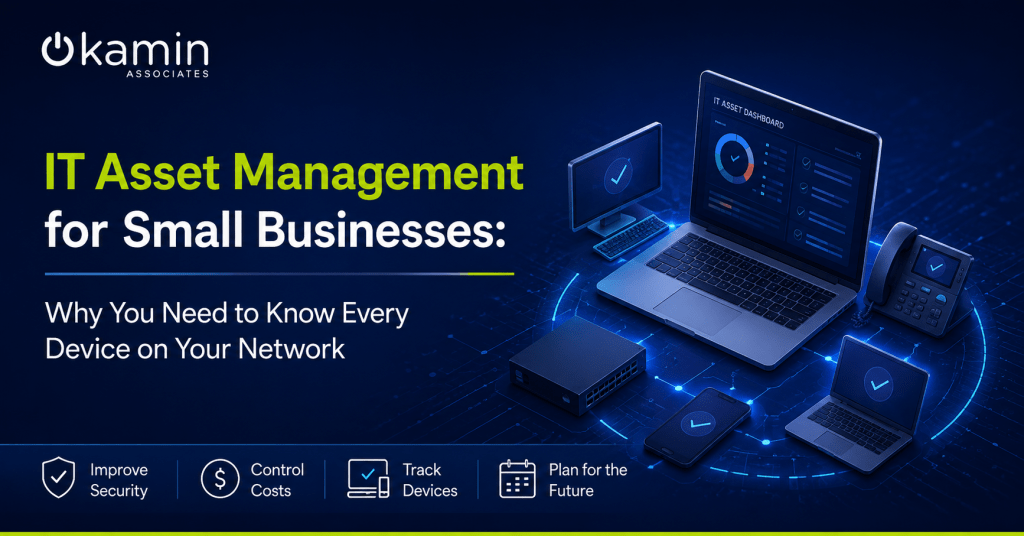
As a business grows, so does its technology. New laptops are purchased, software subscriptions are added, employees come and go, and devices are replaced or reassigned. Without a clear system for tracking these assets, it becomes surprisingly easy to lose visibility into what technology your organization owns, who is using it, and whether it is properly secured.
That is where IT asset management comes in. A strong IT asset management strategy gives businesses greater control over their technology while supporting security, budgeting, compliance, and long-term IT planning.
What Is IT Asset Management?
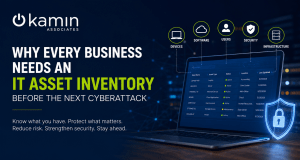
IT asset management, often called ITAM, is the process of tracking and managing an organization’s technology throughout its lifecycle. This includes everything from the moment a device or software license is purchased to the time it is retired or replaced.
Common IT assets include:
- Desktop and laptop computers
- Servers
- Mobile devices
- Network equipment
- Printers and peripherals
- Software applications
- Software licenses and subscriptions
- Cloud services
- User accounts
Effective IT asset management provides a centralized view of these resources, helping businesses understand what they have and how those assets are being used.
Why Growing Businesses Lose Track of Technology
Technology environments tend to become more complicated as businesses expand. Different departments may purchase their own software, remote employees may use company devices from multiple locations, and older equipment can remain connected long after it should have been replaced.
Over time, businesses may end up paying for unused software licenses, supporting outdated hardware, or maintaining accounts belonging to former employees.
These gaps can create unnecessary expenses while making the IT environment more difficult to manage.
Unmanaged Devices Can Create Security Risks
You cannot properly secure technology you do not know exists.
An outdated laptop, forgotten user account, unsupported operating system, or unmonitored network device can become a weak point in your security strategy. If these assets are not included in patching, monitoring, and security policies, vulnerabilities may go unnoticed.
Maintaining an accurate inventory allows your IT team to identify which devices require updates, determine whether security tools are installed, and recognize technology that has reached the end of its supported lifecycle.
Asset visibility also makes incident response easier. When suspicious activity occurs, IT teams can quickly determine which device is affected, who uses it, and what systems it can access.
IT Asset Management Helps Control Technology Costs
IT asset management is not only about cybersecurity. It can also help businesses make smarter financial decisions.
Without accurate records, companies may continue paying for software that employees no longer use or replace equipment without realizing another available device could meet the need.
Asset management provides greater visibility into:
- Software license utilization
- Upcoming hardware replacements
- Warranty expiration dates
- Subscription renewals
- Equipment assigned to employees
- Unused or duplicate technology
With this information, businesses can reduce unnecessary spending and create more predictable technology budgets.
Track the Entire Technology Lifecycle
Every technology asset has a lifecycle.
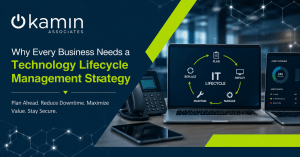
A laptop, for example, may move through purchasing, configuration, employee assignment, maintenance, reassignment, and eventual retirement. Software follows a similar process through purchasing, deployment, renewal, and cancellation.
Tracking these stages helps businesses understand when technology is approaching the end of its useful life.
Instead of waiting for aging equipment to fail unexpectedly, organizations can plan replacements ahead of time. This reduces the risk of emergency purchases, downtime, and productivity disruptions.
IT Asset Management Supports Employee Onboarding and Offboarding
Employee changes are another reason accurate asset records matter.
When someone joins the company, IT should know which computer, applications, accounts, and permissions they require. When that employee leaves, those resources need to be recovered, reassigned, disabled, or removed.
A documented asset management process helps ensure company equipment is returned and access to business systems is properly addressed.
This is especially important for organizations with remote or hybrid employees, where devices may rarely enter the physical office.
Signs Your Business Needs Better IT Asset Management
Businesses do not need thousands of devices before asset management becomes important. Even smaller organizations can experience visibility problems.
You may need a stronger IT asset management process if:
- You are unsure how many devices your business owns.
- Software renewals regularly come as a surprise.
- Former employees still appear in business systems.
- Employees use outdated or unsupported hardware.
- Equipment assignments are tracked manually or inconsistently.
- IT replacements usually happen after something fails.
- You cannot quickly identify which devices have required security tools installed.
These issues often become more difficult and expensive to correct as the organization grows.
Simplify IT Asset Management With the Right IT Partner
Maintaining an accurate technology inventory requires ongoing attention. Devices change, employees change, software changes, and business requirements evolve.
A managed IT provider can help businesses establish processes for tracking hardware, software, licenses, users, warranties, and technology lifecycles. Asset information can then be incorporated into broader IT planning, cybersecurity, maintenance, and budgeting strategies.
Kamin Associates provides comprehensive IT support and infrastructure services designed to help organizations maintain reliable, secure, and manageable technology environments. With better visibility into your IT assets, your business can reduce unnecessary costs, strengthen security, and make more informed technology decisions.
If your organization needs greater control over its technology environment, contact Kamin Associates to learn how professional IT support can help you manage your IT assets and plan for what comes next.