Technology plays a central role in daily business operations. From employee workstations and laptops to servers, mobile devices, and network hardware, businesses rely on technology to stay productive, connected, and secure. However, many organizations overlook one critical part of IT management: device lifecycle management.
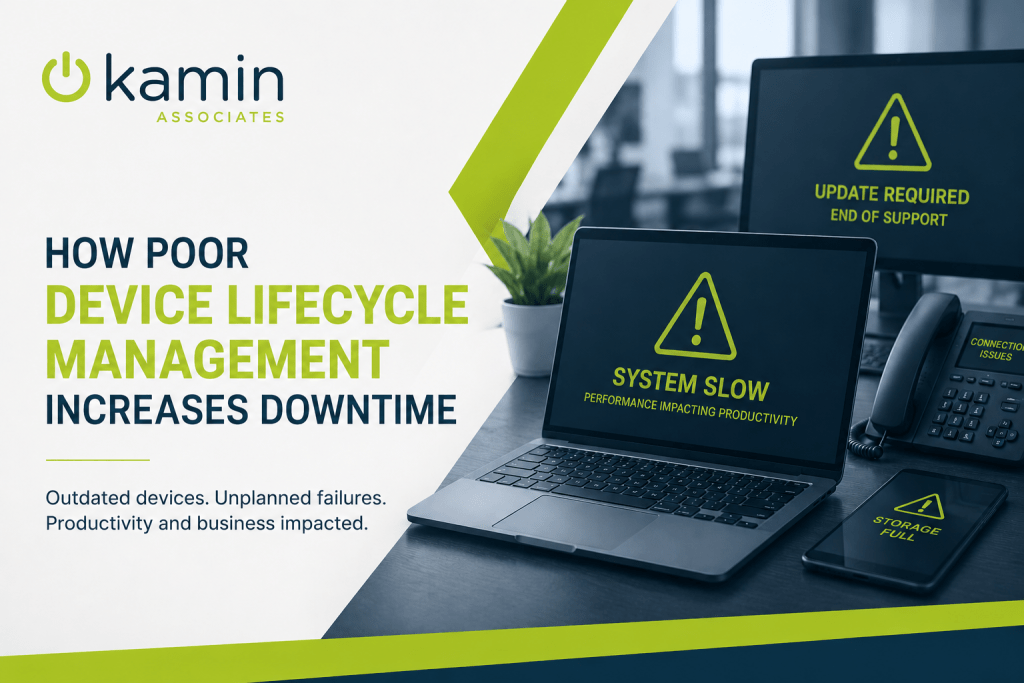
When businesses hold onto aging hardware too long or fail to track and replace devices strategically, downtime becomes far more likely. Slow systems, hardware failures, compatibility issues, and security vulnerabilities can all disrupt operations and impact productivity.
Proper device lifecycle management helps businesses reduce downtime, improve performance, and avoid costly technology disruptions before they happen.
What Is Device Lifecycle Management?
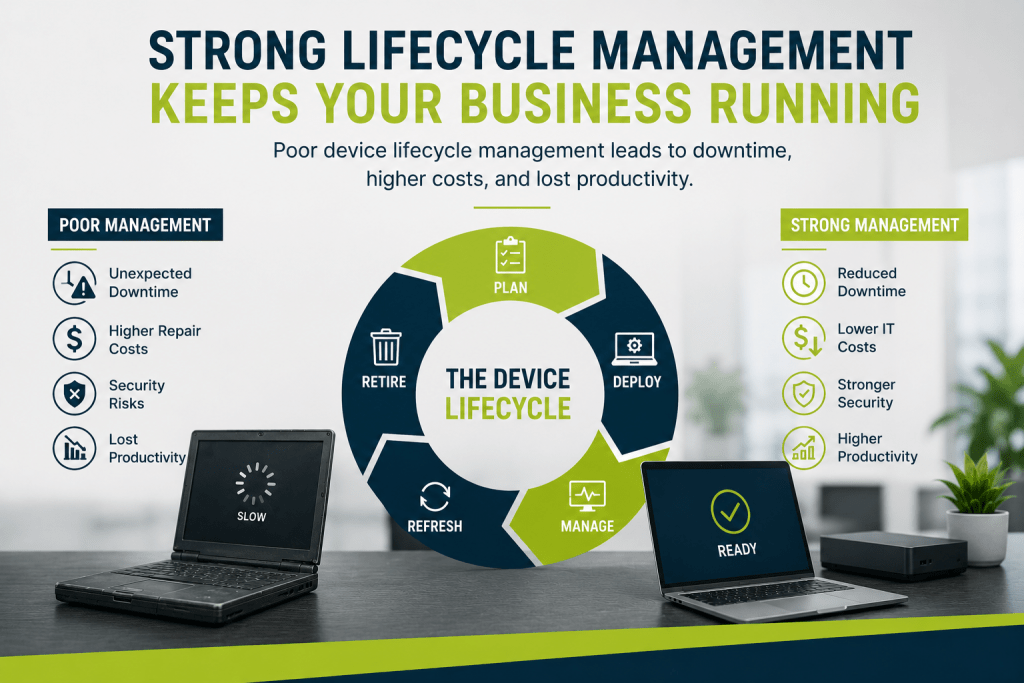
Device lifecycle management refers to the process of planning, deploying, maintaining, monitoring, replacing, and securely retiring business technology devices throughout their usable lifespan.
This includes:
- Desktop computers
- Laptops
- Servers
- Mobile devices
- Network equipment
- Printers and peripherals
- Security appliances
Rather than waiting for equipment to fail unexpectedly, businesses use lifecycle management to proactively monitor device age, performance, warranty status, and supportability.
The goal is to ensure technology remains reliable, secure, and capable of supporting business operations without interruption.
How Aging Devices Increase Downtime
Many businesses attempt to maximize hardware investments by using devices far beyond their recommended lifespan. While this may seem cost-effective initially, outdated technology often creates hidden operational costs that outweigh the savings.
Older devices are more likely to experience:
- Hardware failures
- Slower performance
- Increased repair needs
- Software compatibility issues
- Security vulnerabilities
- Unplanned outages
Even a single failed workstation or server can disrupt employee productivity, delay customer service, or interrupt critical workflows.
When multiple devices across an organization begin aging at the same time, businesses may face repeated downtime incidents that become increasingly difficult and expensive to manage.
Performance Problems Reduce Productivity
Downtime does not always mean a complete outage. In many cases, poor device lifecycle management causes ongoing performance issues that slowly reduce efficiency across the organization.
Employees working on outdated computers often deal with:
- Slow startup times
- Freezing applications
- Delayed file access
- Lagging video calls
- Poor multitasking performance
- Frequent crashes or restarts
These problems may seem minor individually, but they add up quickly over time. Lost minutes throughout the workday can translate into significant productivity losses across an entire organization.
As modern software platforms continue evolving, older hardware often struggles to keep pace with increasing system requirements.
Unsupported Devices Create Security Risks
One of the biggest concerns with outdated hardware is security.
Older devices may no longer support current operating systems, security patches, or modern cybersecurity tools. Once manufacturers stop providing updates and support, businesses become increasingly vulnerable to cyber threats.
Unsupported endpoints can expose organizations to:
- Malware infections
- Ransomware attacks
- Data breaches
- Compliance violations
- Unauthorized access risks
Cybercriminals frequently target outdated systems because they are easier to exploit.
Strong endpoint lifecycle management helps ensure devices remain supported, updated, and capable of running modern security protections.
Emergency Replacements Cause Operational Disruption
Without a lifecycle strategy, businesses often replace devices only after they fail unexpectedly.
Emergency replacements create several challenges:
- Unplanned downtime
- Rush hardware purchases
- Higher replacement costs
- Employee workflow disruptions
- Lost data risks
- Delayed onboarding for replacement systems
When businesses proactively schedule hardware refreshes, they can prepare devices properly, migrate data safely, and minimize operational interruptions.
Planned upgrades are significantly less disruptive than emergency replacements.
Warranty Expiration Increases IT Costs
As hardware ages, warranties eventually expire. Once devices are no longer covered, businesses become fully responsible for repair costs and replacement parts.
Older equipment often requires:
- More frequent repairs
- Hard-to-find replacement components
- Increased IT support time
- Extended troubleshooting efforts
In some cases, replacement parts for aging systems may no longer be available at all.
This creates situations where businesses spend excessive money maintaining outdated devices instead of investing in newer, more reliable technology.
Lifecycle management helps organizations track warranty expiration dates and plan upgrades before support gaps become a problem.
Inconsistent Hardware Creates Management Challenges
Another common issue is inconsistent hardware across the business.
When organizations replace devices randomly over time without standardization, IT environments become more difficult to manage and support.
This can lead to:
- Software compatibility problems
- Different operating system versions
- Driver conflicts
- Uneven security policies
- Increased troubleshooting complexity
- Slower support response times
Standardized device management improves operational consistency and simplifies support for internal IT teams or managed service providers.
A more organized technology environment often results in fewer disruptions and faster issue resolution.
Remote and Hybrid Work Increase Lifecycle Demands
Modern work environments place even greater importance on reliable endpoint devices.
Employees working remotely rely heavily on laptops, VPN connectivity, collaboration platforms, webcams, and mobile devices to remain productive outside the office.
Outdated devices in remote environments can create major problems, including:
- Unstable remote connections
- Security vulnerabilities
- Poor video conferencing performance
- Reduced employee productivity
- Delayed technical support
Because remote employees may not have immediate access to in-person IT support, dependable hardware becomes even more important.
Proactive endpoint lifecycle management helps businesses maintain consistent performance for both in-office and remote teams.
What a Strong Device Lifecycle Strategy Includes
Effective device lifecycle management involves more than simply replacing old computers every few years.
A strong strategy typically includes:
Asset Inventory Tracking
Businesses should maintain accurate records of all devices, including age, warranty status, operating systems, and assigned users.
Standardized Hardware Planning
Using consistent hardware models simplifies deployment, management, troubleshooting, and replacement processes.
Routine Performance Monitoring
Monitoring device health helps identify systems showing signs of failure before downtime occurs.
Scheduled Refresh Cycles
Most business workstations and laptops should be evaluated for replacement every three to five years depending on usage requirements.
Security and Patch Management
Devices should remain updated with current operating systems, firmware, and security protections.
Secure Device Disposal
Retired hardware should be wiped and disposed of securely to protect sensitive business data.
The Long-Term Value of Proactive Lifecycle Management
Businesses that take a proactive approach to device lifecycle management often experience:
- Less downtime
- Improved employee productivity
- Stronger cybersecurity
- Lower long-term IT costs
- Faster support resolution
- Better user experience
- More predictable technology budgeting
Instead of reacting to failures after they happen, organizations gain greater control over their IT environment and reduce unexpected disruptions.
Technology should support business growth, not create operational bottlenecks.
Final Thoughts
Poor device lifecycle management often leads to avoidable downtime, rising support costs, and increased security risks. While delaying hardware upgrades may appear to save money in the short term, outdated technology can quietly impact productivity and business continuity over time.
A proactive lifecycle management strategy helps businesses maintain reliable systems, improve operational efficiency, and reduce the likelihood of unexpected disruptions.
Kamin Associates helps businesses manage technology more effectively through strategic IT planning, endpoint management, infrastructure support, and lifecycle guidance designed to keep systems secure, stable, and productive.